
The process of applying for a PayPal Mastercard online could offer an easier way to manage and access funds with flexibility. This topic is especially relevant for online shoppers, freelancers, or anyone aiming to simplify personal or business spending.
If you’ve been curious about using PayPal for more than just digital payments, exploring their Mastercard options opens up new possibilities. Understanding the steps and eligibility criteria matters, too.


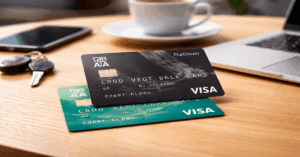
What is the PayPal Mastercard?
The PayPal Mastercard is a credit or debit card linked directly to your PayPal account. It allows purchases anywhere Mastercard is accepted, both in-store and online, and provides a relatively seamless way to access your digital wallet balance.

There are various types, including the PayPal Cashback Mastercard and PayPal Prepaid Mastercard, so potential applicants might have to choose which best suits their needs.
Key Benefits of the PayPal Mastercard
Worldwide Acceptance
Use of the PayPal Mastercard is accepted by millions of merchants globally. This functions just like most major bank cards. It removes some hurdles from online shopping, travel purchases, or even everyday spending.
Instant Access to Funds
One of the practical advantages includes immediate access to your PayPal balance. If waiting for bank transfers sometimes feels tedious, this could be a game-changer. It might also help with cash flow for freelancers or smaller business owners.
Potential Rewards and Cashback
Certain card versions, such as the PayPal Cashback Mastercard, offer 2% back on eligible purchases. Instant reward tracking inside your PayPal account can be one of those small but appealing features.
Added Security and Fraud Protection
PayPal cards benefit from Mastercard’s security measures. This can include fraud monitoring, zero-liability protection, and purchasing alerts, perhaps providing extra assurance compared to standard debit cards.
Who Might Benefit from a PayPal Mastercard?
While the PayPal Mastercard is not universally the best fit, it could be useful for several groups, such as:
- Freelancers getting paid through PayPal
- Frequent online shoppers
- People lacking a traditional bank account
- Anyone aiming for simple account management
Even someone wanting to keep business and personal finances separate may find the distinct access lines useful, though there are plenty of alternatives for that too.
Eligibility Criteria for Applying
Basic Requirements
To consider applying, an applicant will generally need:
- A verified PayPal account in good standing
- Valid identification, such as government-issued ID
- A U.S. address (for most options, though there may be exceptions)
- Satisfactory credit history for credit Mastercard
- Minimum age (usually 18 or older)
Credit Card vs. Prepaid Option
The PayPal Cashback Mastercard and PayPal Extras Mastercard are credit cards, so approval is based on creditworthiness. The prepaid option is more accessible, requiring only account verification.
How to Apply for a PayPal Mastercard Online

Step 1: Login to Your PayPal Account
The application process starts directly from the PayPal website or app. Logging in is always the first step; perhaps it sounds obvious, but skipping ahead can cause confusion later.
Step 2: Locate the Mastercard Application Page
Unfortunately, navigation isn’t always perfectly intuitive. Visitors can try searching for “PayPal Mastercard” or “PayPal Credit Card” once logged in or locate the “PayPal Mastercard” section, usually in the Payments or Tools menu.
Step 3: Choose the Card Type
Decision time: Whether to opt for the Cashback Mastercard, Extras Mastercard (if available), or the Prepaid Mastercard.
Brief comparisons are generally provided on site, but it occasionally comes down to whether a credit inquiry is acceptable or if prepaid simplicity is preferred.
Step 4: Complete the Application Form
Standard personal information is requested—name, address, Social Security number, date of birth, and income details for the credit card. The prepaid form is simpler but still asks for verification details.
Step 5: Read and Review Terms Carefully
Perhaps it goes without saying, but reading cardholder agreements tends to be overlooked. There are sometimes annual fees, variable APR rates, and other important terms that may affect long-term value.
Step 6: Submit the Application
After submitting, outcomes vary. For credit applications, instant decisions aren’t always guaranteed, but sometimes are. If additional documentation is needed, PayPal or their issuing partner will contact the applicant directly.
Step 7: Await Card Arrival and Activate
After approval, the physical PayPal Mastercard usually arrives by mail in about 7–10 business days. Activation can typically be handled online or over the phone—a key moment that unlocks actual usage.
Important Features and Potential Drawbacks
Pros
- Worldwide acceptance (anywhere Mastercard is used)
- Direct connection to PayPal account
- Robust rewards and cash-back options
- Added security protections
- No annual fee for some products
Cons
- Limited international availability
- Requires a PayPal account in good standing
- Potential APR and fee disclosures (for credit option)
- Not all purchases may earn rewards
- Customer support is primarily via PayPal
Tips for a Smooth Application Experience
- Make sure to verify PayPal account and up-to-date information before applying.
- Double-check eligibility requirements for the card variant.
- Consider alternative cards if credit is a concern.
- Track application status through PayPal account dashboard.
- Review the FAQ section on the official PayPal site for clarifications.
Comparisons with Other Major Payment Cards
Would a traditional credit card from a bank be more suitable? Sometimes yes, sometimes not. The key differences lie in how funds are managed, transferred, and accessed.
For those who receive frequent PayPal transactions, direct integration can save effort. Meanwhile, other credit cards might offer broader perks or sign-up bonuses that are worth comparing.
| Feature | PayPal Mastercard | Traditional Credit Card |
|---|---|---|
| Direct PayPal Link | Yes | No |
| Worldwide Use | Yes | Yes |
| Rewards | Yes (on select types) | Varies by issuer |
| Annual Fee | Sometimes | Sometimes |
| Instant Fund Access | Yes, to PayPal balance | No |
Security Practices and Usage Recommendations
The PayPal Mastercard incorporates industry-standard security protocols. Enabling extra authentication (like two-factor login) for PayPal, keeping the card info private, and reviewing all transaction statements regularly may help keep financial activity safe.
As with any credit or debit card, risks of phishing, skimming, or scams exist—caution is always warranted.
FAQ: Common Questions about Applying Online
Is credit required for all PayPal Mastercards?
Not all. The prepaid version skips a credit check, but the credit card options do need a credit review.
Are there fees?
There might be. It's best to check the current PayPal Mastercard terms for annual fees, foreign transaction fees, and APR details. They vary by product and timing.
Can the card be used outside the country?
Generally yes, wherever Mastercard is accepted. However, foreign exchange fees may apply and limited international availability is possible, so this part can depend.
What if an application is denied?
Applicants may reapply after resolving any PayPal account issues or building credit history, but guidelines are subject to change.
Conclusion
Applying for a PayPal Mastercard online can be useful for people who want easier access to PayPal funds, payment flexibility, or cashback options.
The process usually involves logging in, choosing the right card type, completing the application form, reviewing terms, and activating the card after approval.
Applicants should compare credit and prepaid options, check fees, and understand whether a credit check applies. With careful review and strong account security, a PayPal Mastercard can support safer and more convenient spending.